
Cleanup Workflow
WordPress URL Cleanup
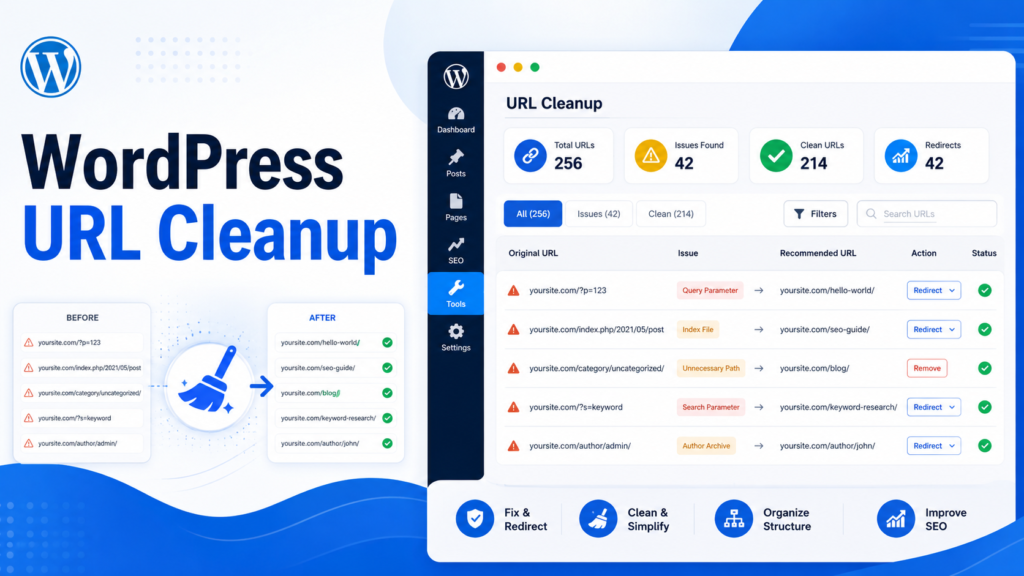
As WordPress sites grow, old URLs, outdated posts, duplicate pages, expired content, and messy categories can create workflow and SEO problems. URL cleanup brings structure back to the content library.
This guide explains a practical WordPress URL cleanup workflow for auditing, organizing, redirecting, noindexing, drafting, deleting, and exporting URLs.
What is WordPress URL cleanup?
URL cleanup is the process of reviewing, organizing, updating, redirecting, noindexing, drafting, or deleting URLs so the website stays manageable and useful. It is both an editorial workflow and a technical workflow.
Signs your WordPress site needs URL cleanup
Common signs include hundreds of outdated posts, old campaign pages, expired affiliate content, duplicate or overlapping posts, weak pages indexed in search, messy categories, outdated sitemap URLs, many 404s, and a content library that is hard to manage.
URL cleanup decision table
A decision table helps teams avoid treating every old URL the same way.
| URL Type | Recommended Action | Reason |
|---|---|---|
| Outdated but valuable | Update | Keep useful traffic |
| Old page with replacement | Redirect | Send users to a relevant page |
| Low-value but needed | Noindex | Keep live, remove from search |
| Temporary removal | Draft | Reversible |
| Useless content | Delete | Clean up content library |
| Large audit needed | Export URL Index | Review in spreadsheet |
The safe URL cleanup workflow
Export URL Index, group URLs by type, decide action for each group, back up your site, process URLs in batches, validate and preview, apply actions, export results, and monitor important pages.
- Export URL Index
- Group URLs by type
- Decide action for each group
- Backup your site
- Process URLs in batches
- Validate and preview
- Apply actions
- Export results
- Monitor important pages
Manual cleanup vs Bulk SEO URL Manager
Manual cleanup can work for a small site. For larger sites, URL lists and repeatable workflows reduce manual searching and improve documentation.
| Cleanup Task | Manual WordPress Workflow | Bulk SEO URL Manager Workflow |
|---|---|---|
| Find URLs | Search posts manually | Use exports and URL lists |
| Delete posts | Open posts one by one | Process reviewed URLs |
| Redirect old URLs | Create redirects manually | Use URL workflows |
| Change status | Open each post | Bulk status changes |
| Noindex selected pages | Open SEO settings one by one | Pro URL workflow |
| Export results | Manual spreadsheet | CSV results and logs |
How Bulk SEO URL Manager fits
Bulk SEO URL Manager supports Export URL Index, delete by URL, redirect by URL, category changes, status changes, noindex in Pro, author change in Pro, CSV import in Pro, logs in Pro, and Find & Replace in Pro.

Frequently asked questions
How do I clean up old WordPress URLs?
Start by exporting a URL inventory, group URLs by decision, back up your site, then process actions in reviewed batches.
Should I delete or noindex old posts?
Delete content that is no longer needed. Use noindex when the page should remain live but not appear in search.
How do I export all WordPress URLs?
Use Export URL Index to create a CSV inventory for review.
Can I clean URLs in batches?
Yes. Batch workflows are safer when combined with validation, previews, and result exports.
Can Bulk SEO URL Manager help with content pruning?
Yes. It supports URL exports and bulk actions used in content pruning workflows.
Clean up WordPress URLs with more control.
Use Bulk SEO URL Manager to turn reviewed URL lists into safer WordPress URL operations with validation, previews, exports, and Pro workflows when you need them.