
Redirect Workflow
Bulk Redirect URLs in WordPress
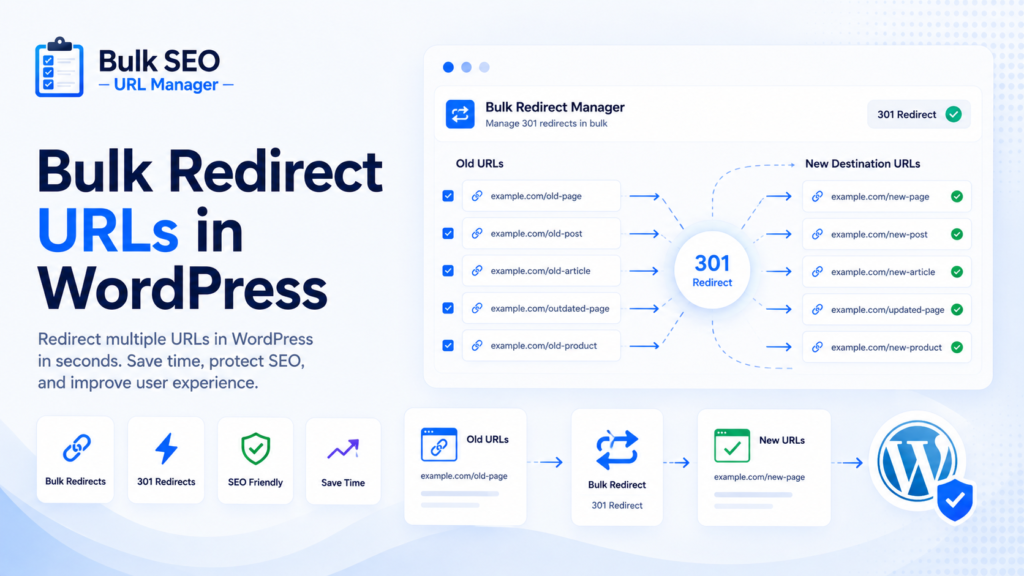
Redirects are important during content cleanup, URL changes, migrations, deleted posts, expired pages, and site restructuring. They help users and search engines reach the right destination when URLs change.
This guide explains safer bulk redirect workflows without promising that redirects preserve all rankings or solve every SEO problem.
What is a bulk redirect workflow?
A bulk redirect workflow lets you process many old URLs at once instead of creating redirects one by one. It is especially useful when a reviewed spreadsheet already contains old URLs, destinations, and redirect types.
When WordPress sites need bulk redirects
Sites may need bulk redirects when deleting outdated posts, changing permalink structures, merging similar posts, cleaning expired affiliate content, moving seasonal content, migrating sites, restructuring categories, fixing 404s, or redirecting old campaign URLs.
Redirect types explained
Use the redirect type that matches the situation.
| Redirect Type | Meaning | Best Use Case | Notes |
|---|---|---|---|
| 301 | Permanent redirect | Old URL replaced by new URL | Commonly used for moved content |
| 302 | Temporary redirect | Temporary destination | Useful for short-term changes |
| 410 | Gone | Content intentionally removed | Useful when no replacement exists |
Safe bulk redirect workflow
Export your URL index, identify old URLs, map them to relevant destinations, choose redirect type, validate source URLs, preview affected posts, apply redirects, test important URLs, and export results.
- Export URL index
- Identify old URLs
- Map old URLs to new destinations
- Choose redirect type
- Validate source URLs
- Preview affected posts
- Apply redirects
- Test important URLs
- Export results
Common redirect mistakes
Avoid redirecting everything to the homepage, creating redirect chains, redirecting irrelevant content, forgetting to test important URLs, deleting pages before planning redirects, and failing to keep redirect records.

How Bulk SEO URL Manager helps
Bulk SEO URL Manager supports pasted URL workflows, validation, previews, result exports, and Pro tools such as Redirect Manager, logs, and CSV import.
Frequently asked questions
How do I bulk redirect URLs in WordPress?
Prepare a reviewed list of source URLs and destinations, validate the list, preview changes, apply redirects, and test important URLs.
What is the difference between 301 and 302 redirects?
A 301 is commonly used for permanent moves, while a 302 is used for temporary destinations.
When should I use a 410 status?
Use 410 when content is intentionally gone and there is no relevant replacement.
Can I import redirects from CSV?
CSV import is part of advanced Pro workflows.
Does Bulk SEO URL Manager replace a full SEO plugin?
No. It focuses on URL operations and can work alongside SEO plugins.
Create safer bulk redirects in WordPress.
Use Bulk SEO URL Manager to turn reviewed URL lists into safer WordPress URL operations with validation, previews, exports, and Pro workflows when you need them.