
WordPress SEO Operations
Bulk URL Management for WordPress
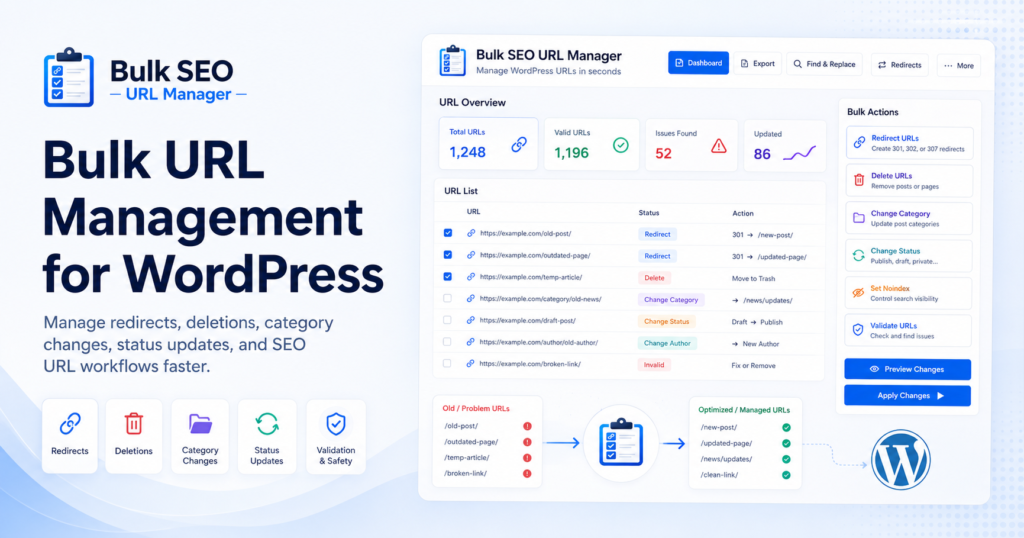
Large WordPress sites can become difficult to manage when URLs need to be deleted, redirected, noindexed, reorganized, or exported in bulk. Doing that work one page at a time is slow, risky, and easy to get wrong, especially during content pruning, migrations, or site restructuring.
This guide explains how bulk URL management works, when it matters, and how Bulk SEO URL Manager helps bloggers, publishers, SEO professionals, affiliate marketers, and agencies handle WordPress URLs faster with more control.
What is bulk URL management?
Bulk URL management means processing many WordPress URLs together instead of editing posts, pages, or custom post types one by one. On smaller sites, manual editing may still feel manageable, but once a site grows into hundreds or thousands of URLs, repetitive URL work becomes slow, inconsistent, and harder to audit.
A safer workflow starts with a reviewed URL inventory, then groups each item by action: keep, update, redirect, noindex, draft, delete, change category, or export for review. The goal is not just speed. It is speed with control.
Bulk operations should never mean blind operations. Export, review, validate, preview, apply, and document the results.
Why WordPress sites need bulk URL workflows
WordPress sites rarely stay simple. Bloggers publish seasonal content, publishers restructure categories, affiliate marketers remove expired offers, and agencies migrate clients from one URL structure to another. As the content library grows, URL management shifts from a small admin task into an operational process.
Bulk URL management is useful during content pruning, index cleanup, sitemap review, redirect planning, and category restructuring because it makes the reviewed URL list the source of truth. Instead of relying on memory or tab-by-tab editing, you work from one organized list.
Where it helps most
- Content pruning on large blogs.
- Redirect mapping during migrations.
- Index cleanup before recrawls.
- Category and status changes in bulk.
- URL inventory exports for audits.
Workflow comparison: manual vs bulk
This chart compares a manual editing process with a controlled bulk workflow across the key stages of URL work: validation, preview, applying changes, and documenting results. The goal is to show why a reviewed URL list is easier to manage than opening each WordPress post one by one.
Common bulk URL operations
Different URL decisions create different risks. Deleting a post is not the same as redirecting it, moving it to draft, changing its category, or setting noindex.
| Operation | Use case | Risk if done manually |
|---|---|---|
| Delete posts | Remove outdated content | Wrong posts removed |
| Redirect URLs | Route old URLs to relevant destinations | Broken pages or avoidable 404s |
| Change category | Reorganize content | Inconsistent taxonomy |
| Change status | Draft, private, pending review, or republish content | Manual errors and missed items |
| Set noindex | Control indexing while keeping a page accessible | Wrong pages indexed or removed |
| Export URL index | Audit site inventory | Missing URL data |
Relative risk by action
Some actions are mainly informational, such as exporting a URL index. Others change public content or URL behavior, such as deleting posts, redirecting URLs, or setting noindex. Higher-risk actions should be reviewed, previewed, and documented before applying them.
Lower-risk actions prepare or document work. Higher-risk actions change public URL behavior and need more review.
Recommended safe workflow
A safe bulk URL workflow is a controlled sequence. Start by exporting a URL inventory and reviewing it outside WordPress, ideally in a spreadsheet where you can filter and group items before taking action.
- Export URL inventory.
- Review URLs in a spreadsheet.
- Paste selected URLs into the plugin.
- Validate URLs.
- Preview affected posts.
- Apply the selected action.
- Export results.
- Review logs if using Pro.
Once your list is organized, confirm which URLs still have traffic, backlinks, or business value, then apply actions only to the final reviewed list.
Site size vs workload
As a WordPress site grows, the time needed for manual URL work increases quickly. A bulk workflow does not remove the need for review, but it helps keep validation, previews, results, and documentation more consistent as the URL list gets larger.
How Bulk SEO URL Manager helps
Bulk SEO URL Manager is built for paste-and-go WordPress URL operations. Users can paste URLs, validate the list, preview affected posts, and apply actions such as delete, redirect, change category, change status, and export URL Index.
The plugin is not a full SEO suite and does not replace tools like Yoast, Rank Math, or AIOSEO. Instead, it fills a different role: it gives you a focused operations layer for repetitive URL work around audits, cleanup, publishing changes, and migrations.
Why this matters
- Reduces manual editing time.
- Makes URL decisions easier to review.
- Helps protect important URLs during cleanup.
- Keeps audits and migrations more organized.
Best practices
Back up your site before bulk actions, preview every action, protect valuable URLs, redirect important removed URLs when a relevant destination exists, and keep exports or logs for future audits.
For search-related decisions, use Google documentation carefully. Noindex requires crawlers to access the page and see the directive; redirects should use relevant destinations rather than being treated as a ranking guarantee. Google also explains how sitemaps can list URLs and use lastmod when it is accurate.
Frequently asked questions
What is bulk URL management in WordPress?
It means processing many WordPress URLs together for cleanup, redirects, category changes, status changes, noindex decisions, and exports.
Can I manage WordPress URLs without editing posts one by one?
Yes. A URL workflow tool lets you paste a reviewed URL list, validate matches, preview affected posts, and apply selected actions.
Is bulk URL management useful for SEO?
It can support SEO operations such as content pruning, redirect planning, sitemap review, and index cleanup, but it does not guarantee rankings.
Can I export all WordPress URLs?
Yes. Bulk SEO URL Manager includes Export URL Index workflows for creating a WordPress URL inventory.
Does Bulk SEO URL Manager replace Yoast or Rank Math?
No. It is a bulk URL operations tool designed to work alongside your existing SEO plugin.
Manage WordPress URLs faster
Use Bulk SEO URL Manager to turn reviewed URL lists into safer WordPress operations with validation, previews, exports, and Pro workflows when you need them.